[https://flexboxfroggy.com/](https://flexboxfroggy.com/) Great website to re-learn all these concepts again!
## Justify-Content Align the content along the main axis, the possible value can be: 1. flex-start (default 2. flex-end 3. center 4. space-between 5. space-around 6. space-evently [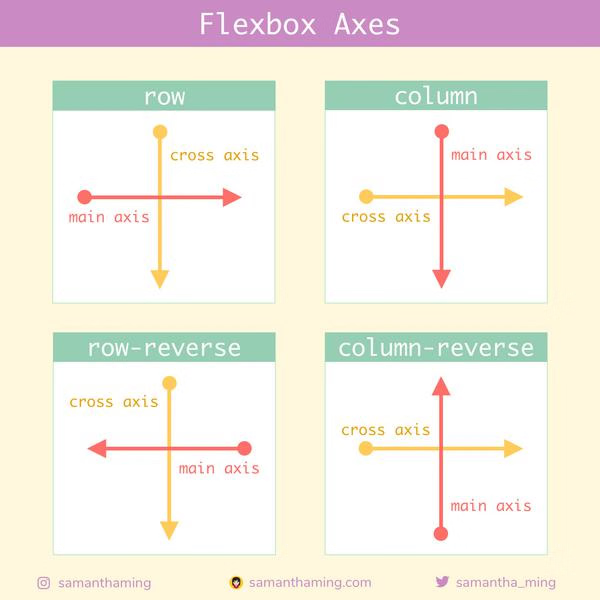](https://wiki.tamarinne.me/uploads/images/gallery/2026-03/image.png) ## Align-Items Align the content along the cross axis, the possible values are: 1. flex-start 2. flex-end 3. center 4. baseline 5. stretch (default) ## Align-ContentDon't confuse it with align-items, they do different things
Not to be confused with align-items, align-content sets how multiple lines of contents are spaced apart from each other. Align-Items on the other hand determines how the items as a whole are aligned within the container. When there is only one line of content, then Align-Content has no effect. The possible values are: 1. flex-start 2. flex-end 3. center 4. space-between 5. space-around 6. stretch (default)